Phone
Your phone line, next to your team chat.
Freesbe connects to your sip.io phone system. An admin connects it once, and then every person creates their own SIP credentials from their profile and adds them to a desk phone or softphone app. Phones register straight with sip.io, so calls keep working when Freesbe is closed. The dialpad in the app dials out.
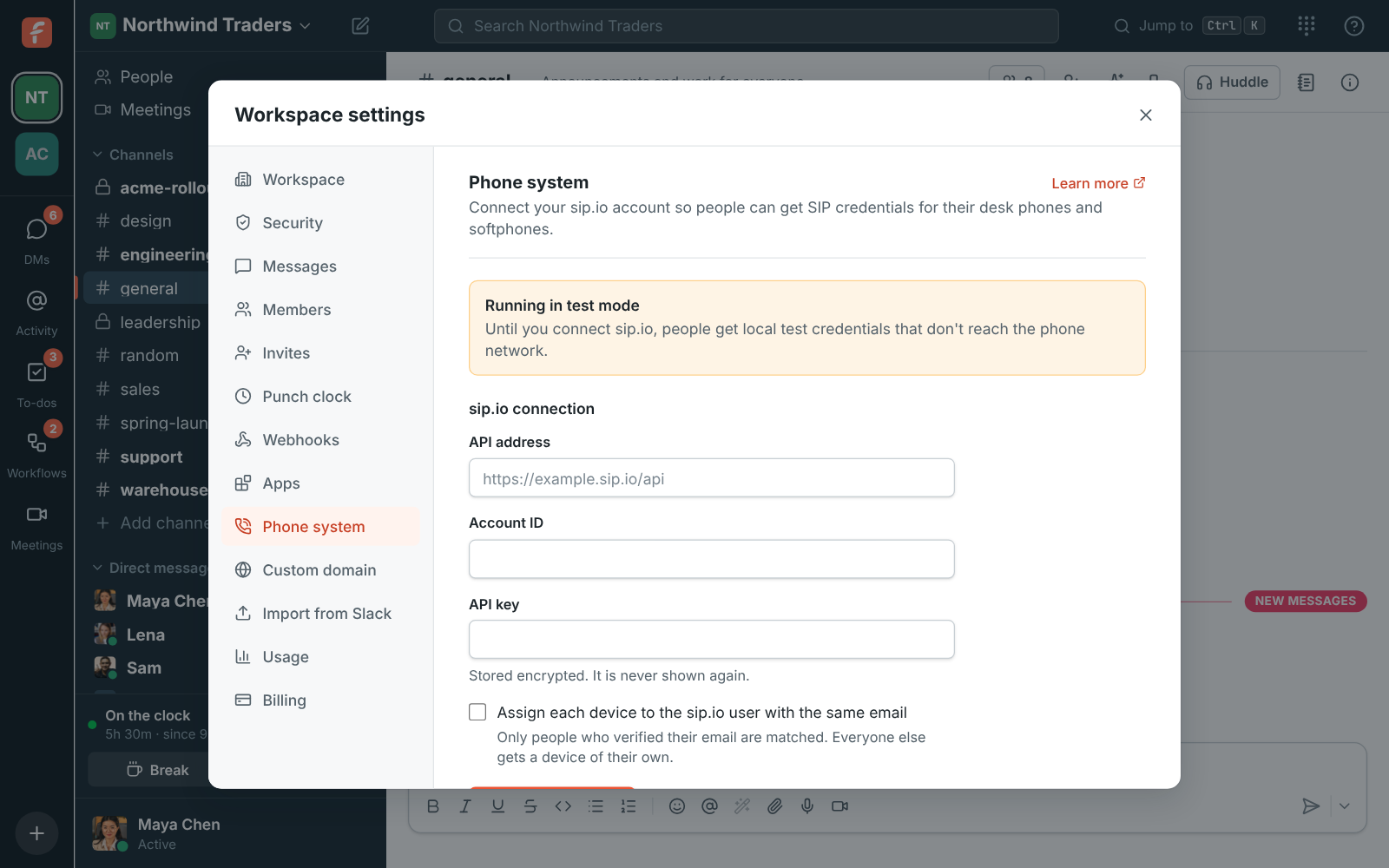
One setup for the whole company
An admin enters the sip.io API address, account ID and API key in workspace settings. From then on Freesbe creates a device for each person who sets up their phone, and can link it to the matching sip.io user and extension.
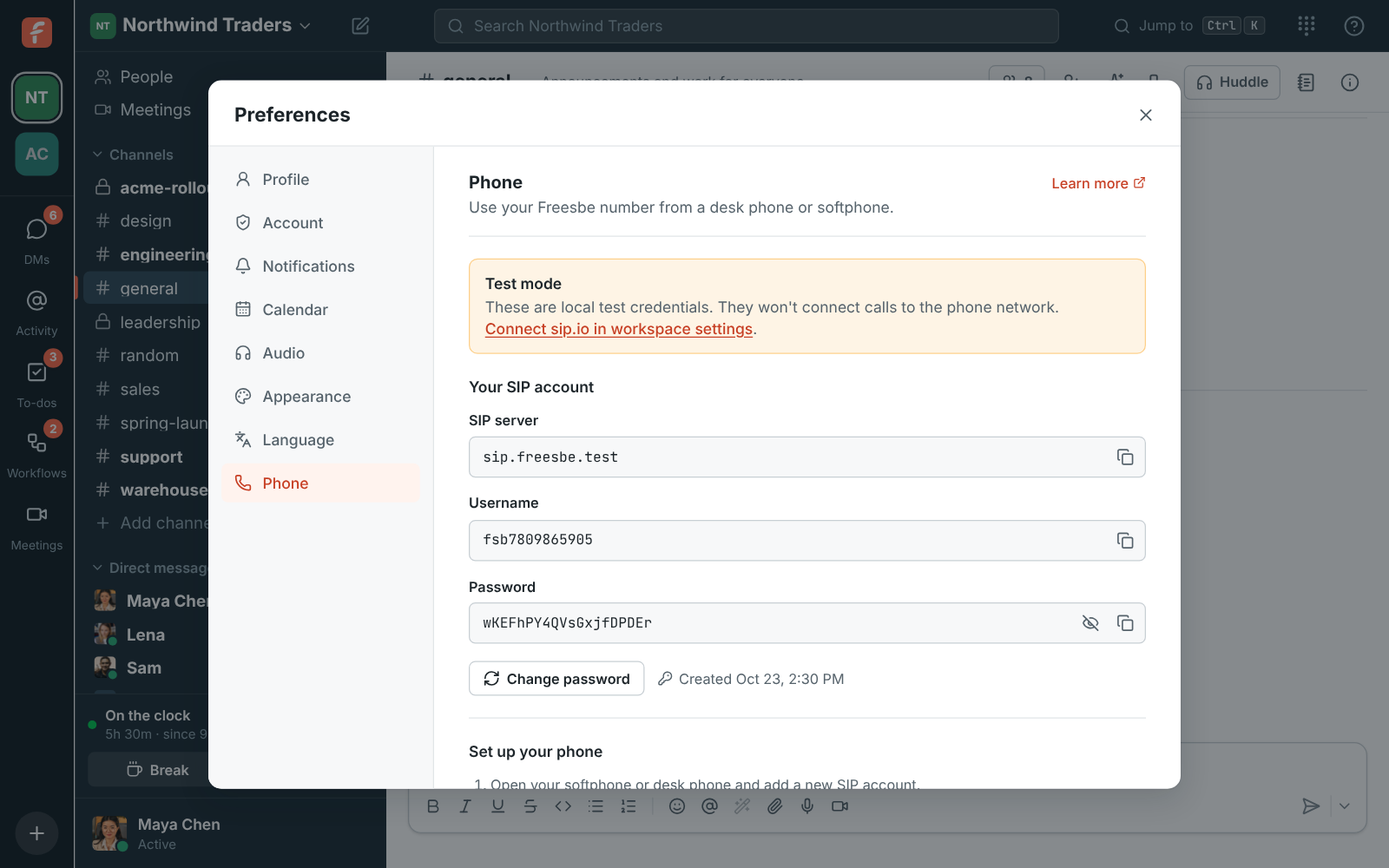
Any standard SIP phone
People copy a SIP server, username and password into a desk phone or softphone. Passwords are read from sip.io when someone asks to see theirs, and Freesbe never stores them.
- Change your phone password any time
- Leavers' devices are turned off and their passwords scrambled
- Disconnecting the account turns off every device Freesbe made
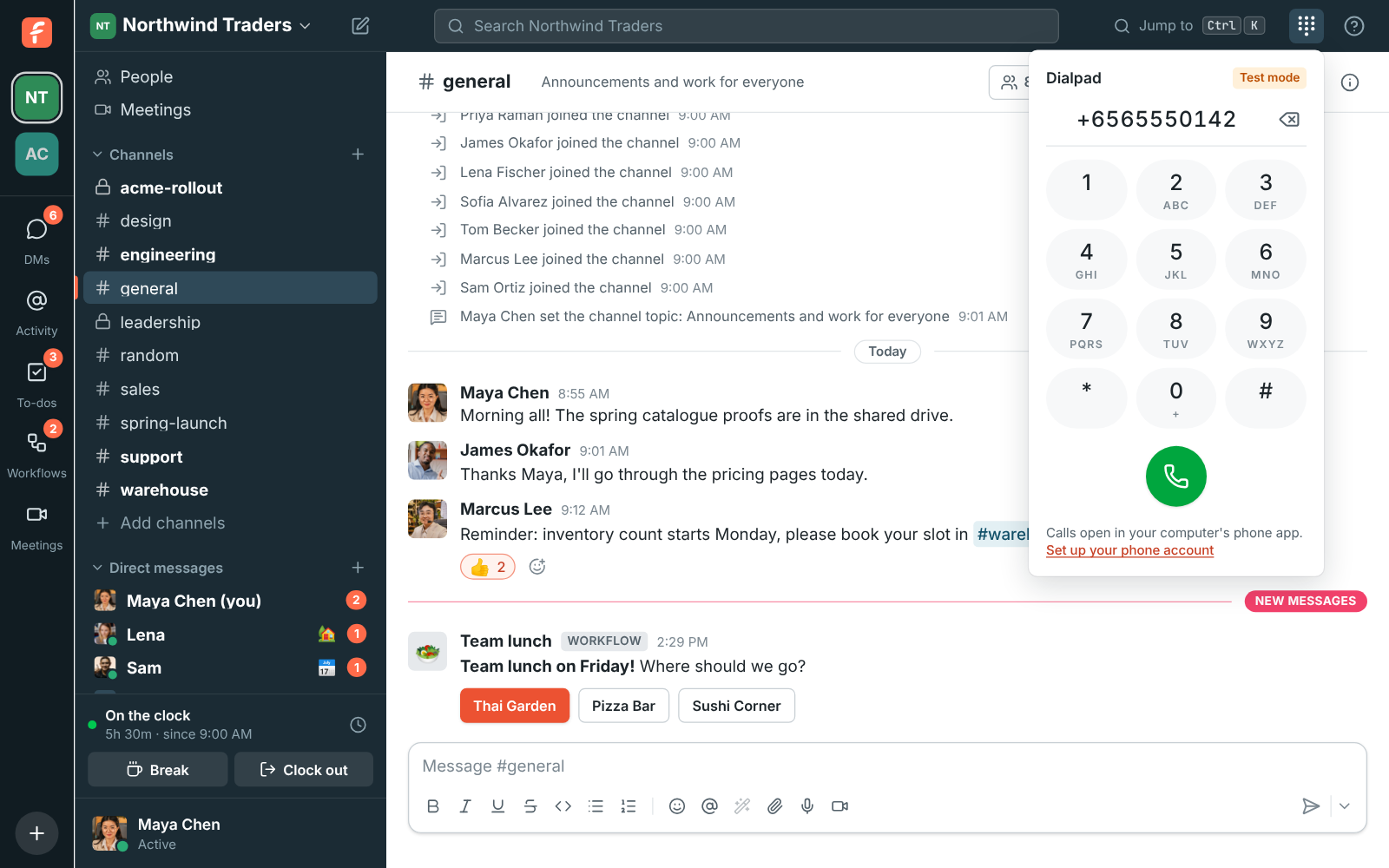
Dial from the app
The dialpad in the top bar hands the number to your softphone or any app registered for phone links, and keeps your recent numbers.
Questions
- Do I need a sip.io account?
- Yes. Freesbe manages each person's line on your sip.io phone system. Until an admin connects one, the phone settings show test credentials.
- Do calls go through Freesbe?
- No. Phones register directly with sip.io, so calls work even when the Freesbe app is closed.
- Which plans include a phone line?
- The phone line and dialpad come with Business ($4 per person a month, billed yearly) and above.
- Will it work with my desk phone?
- Any phone or softphone app that accepts a standard SIP account (server, username and password) works.