Integrations
Bring the AI agent you already use.
Freesbe is an MCP server, so Claude, ChatGPT, code editors and your own agents connect with no app to install. Each agent signs in with your Freesbe account, sees only what you allow, posts as its own bot marked AI agent, and admins approve, limit or block every agent. It's on every plan.
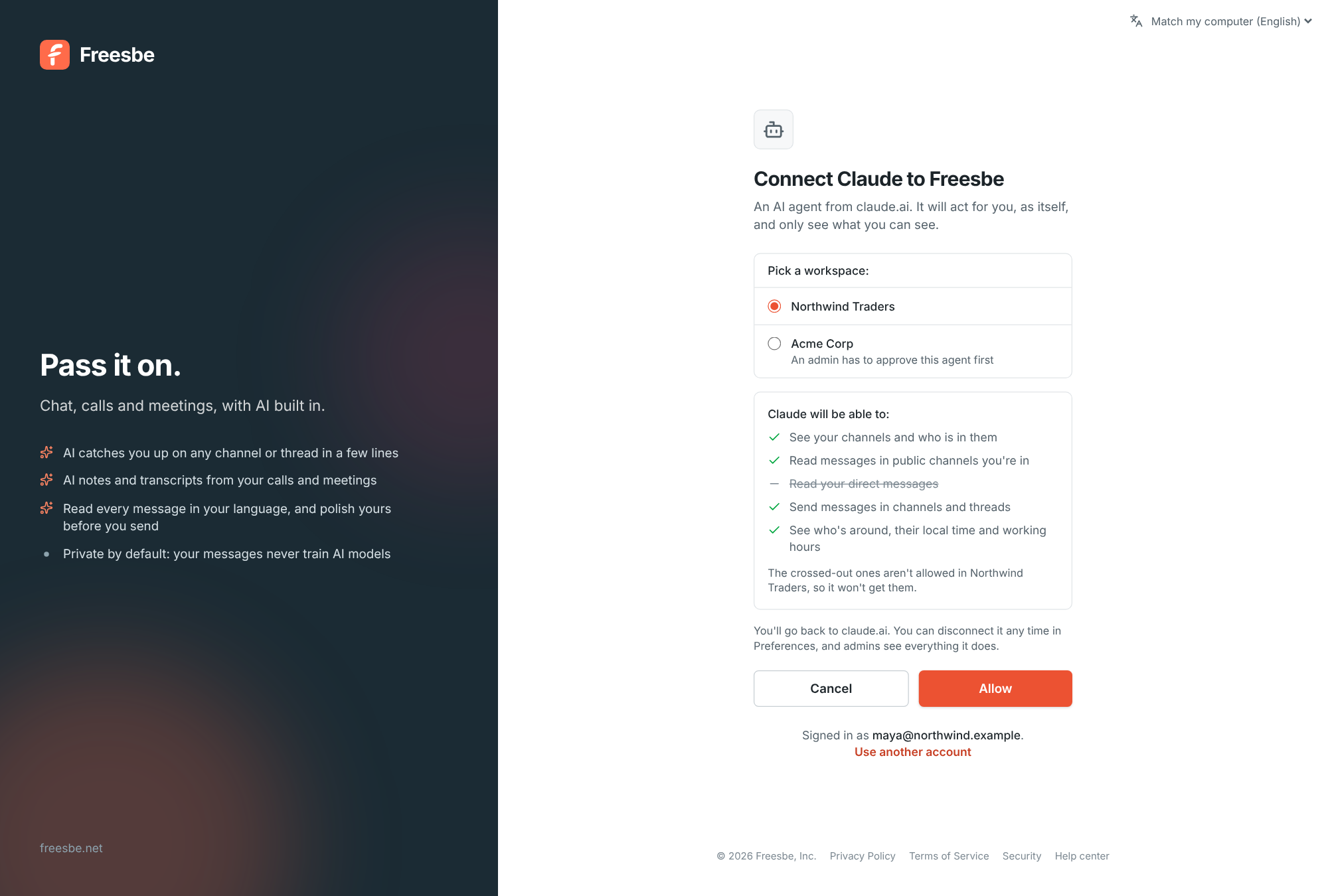
Connect in your AI tool
Add https://api.freesbe.net/mcp as a connector or MCP server, sign in to Freesbe, pick the workspace and see in plain words what the agent may do. Your workspace's sign-in rules apply, including single sign-on and a second step.
It acts for you, as itself
An agent sees only what the person who connected it can see, and never more than they allowed. Its messages and member list entry say AI agent, so nobody mistakes it for a person.
- Private channels and DMs stay off unless admins allow them
- Disconnect from Preferences and it stops at once
- Rate limits per connection, so one busy agent can't slow anyone down
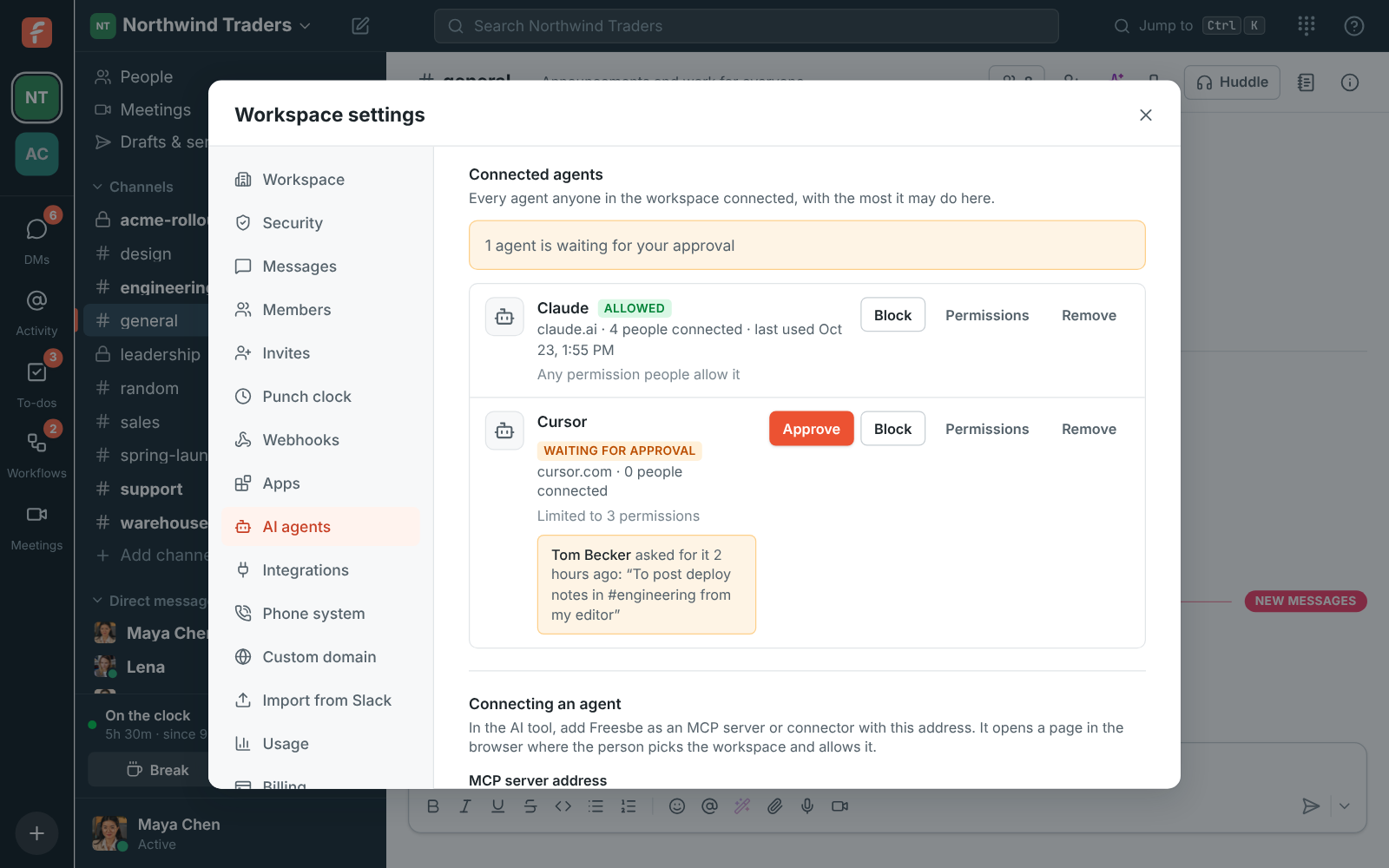
Admins stay in charge
Choose whether anyone, only approved agents or nobody can connect. Approve, limit or block each agent, and see what agents did in an activity log kept for 90 days.
Questions
- What can an agent do today?
- Connecting, permissions, approvals and the activity log work now. The tools that read, search, post and ask people questions arrive over the next releases, and connections you make today carry over.
- Which AI tools work?
- Any tool that can add an MCP server or connector: Claude, ChatGPT, code editors such as Cursor and VS Code, and agents your own team builds.
- Can guests connect agents?
- No. Guests can't connect agents, and admins can turn agents off for the whole workspace.