
Keep notifications under control
Support and sales teams live in busy channels. The aim is to be alerted for the conversations that need you, and to see the rest when you look. These settings take five minutes.
Start from the defaults
Section titled “Start from the defaults”By default Freesbe notifies you about every DM, mentions of you (including @here, @channel
and @everyone), replies in threads you’re in, and every message in channels you set to
Every message. Other channel messages just make the channel bold. That’s the right starting
point for most people.
Turn up the channels that need you
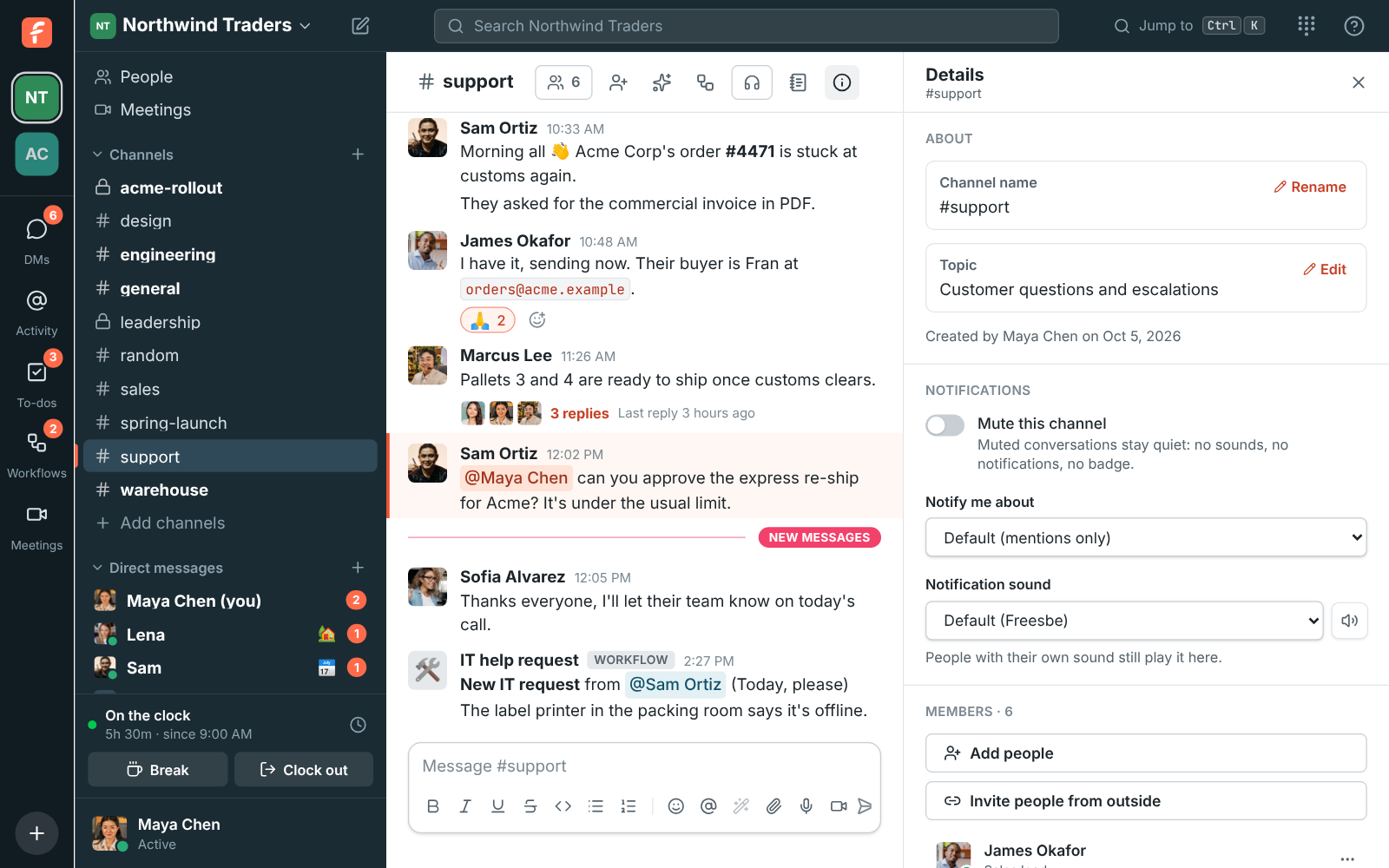
Section titled “Turn up the channels that need you”For a channel where every message matters, like #support-escalations, open its details, go to
Notifications and set Notify me about to Every message. Give it its own
Notification sound so you know what it is without looking.
Turn down the rest
Section titled “Turn down the rest”Mute channels you only read now and then: no sounds, no notifications and no badge, but they still go bold when there’s something new.
Give key people their own sound
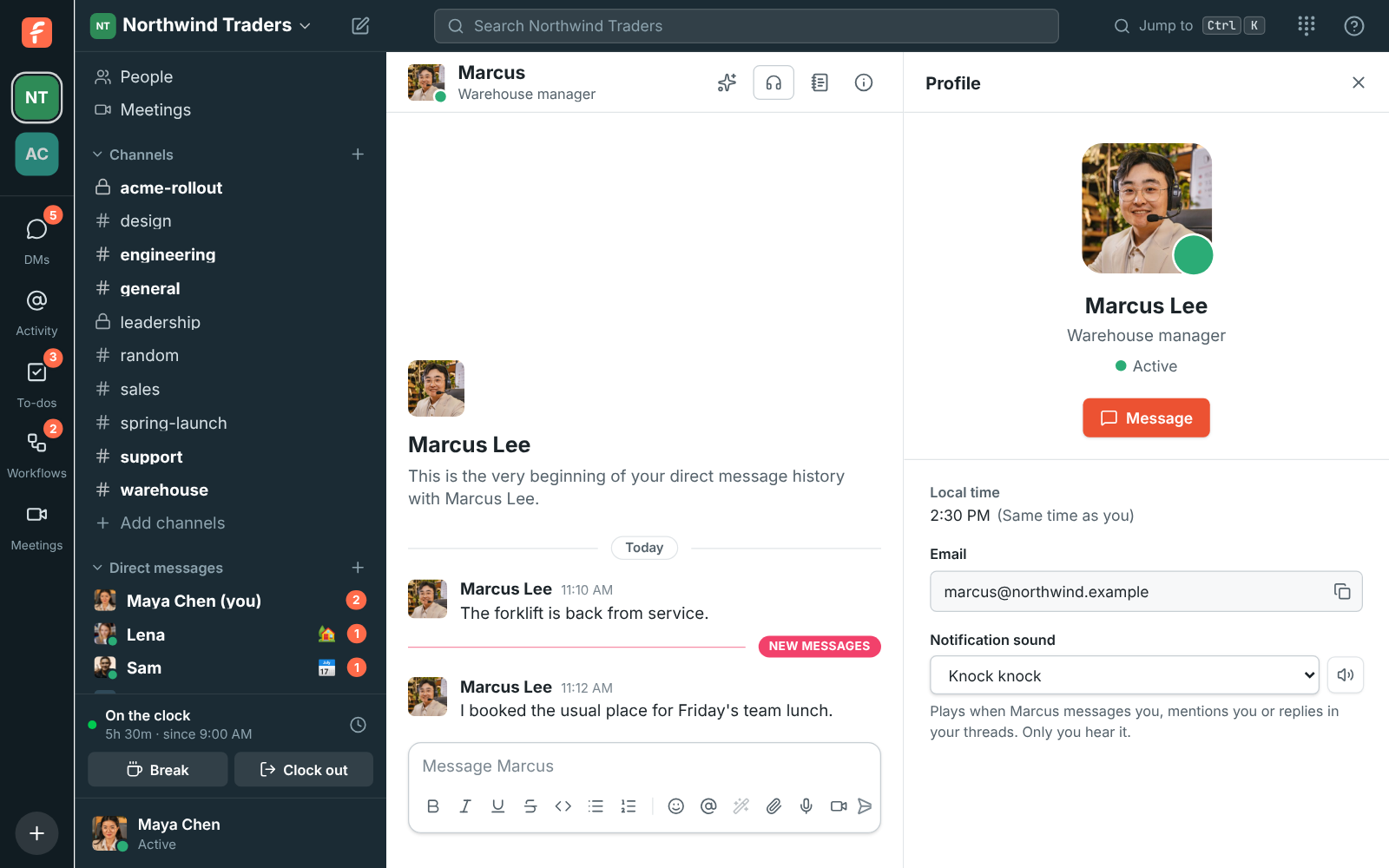
Section titled “Give key people their own sound”Click someone’s name, such as your manager or your biggest customer’s guest account, and pick a Notification sound. It plays whenever they message you, mention you or reply in a thread you follow, in any channel. A person’s sound wins over the channel’s.
Pause when you need to focus
Section titled “Pause when you need to focus”Choose Pause notifications… from your account menu for focus time or after hours. Your account menu shows Resume notifications until it ends. See Pause notifications.
Let the right device alert you
Section titled “Let the right device alert you”Only one device alerts you at a time: the one you used last, or the desktop app once you’re idle everywhere. Your phone takes over when you step away from your computer, and huddle calls ring everywhere. Install the desktop app so alerts keep coming with its window closed, and the mobile app for when you’re out.
Not getting alerts at all? See I’m not getting notifications.
Answers come from the Freesbe guides and are written by AI, so check the linked guide before relying on one. Please don't include personal details such as emails or passwords.