
Custom domains for booking, meeting and invite links
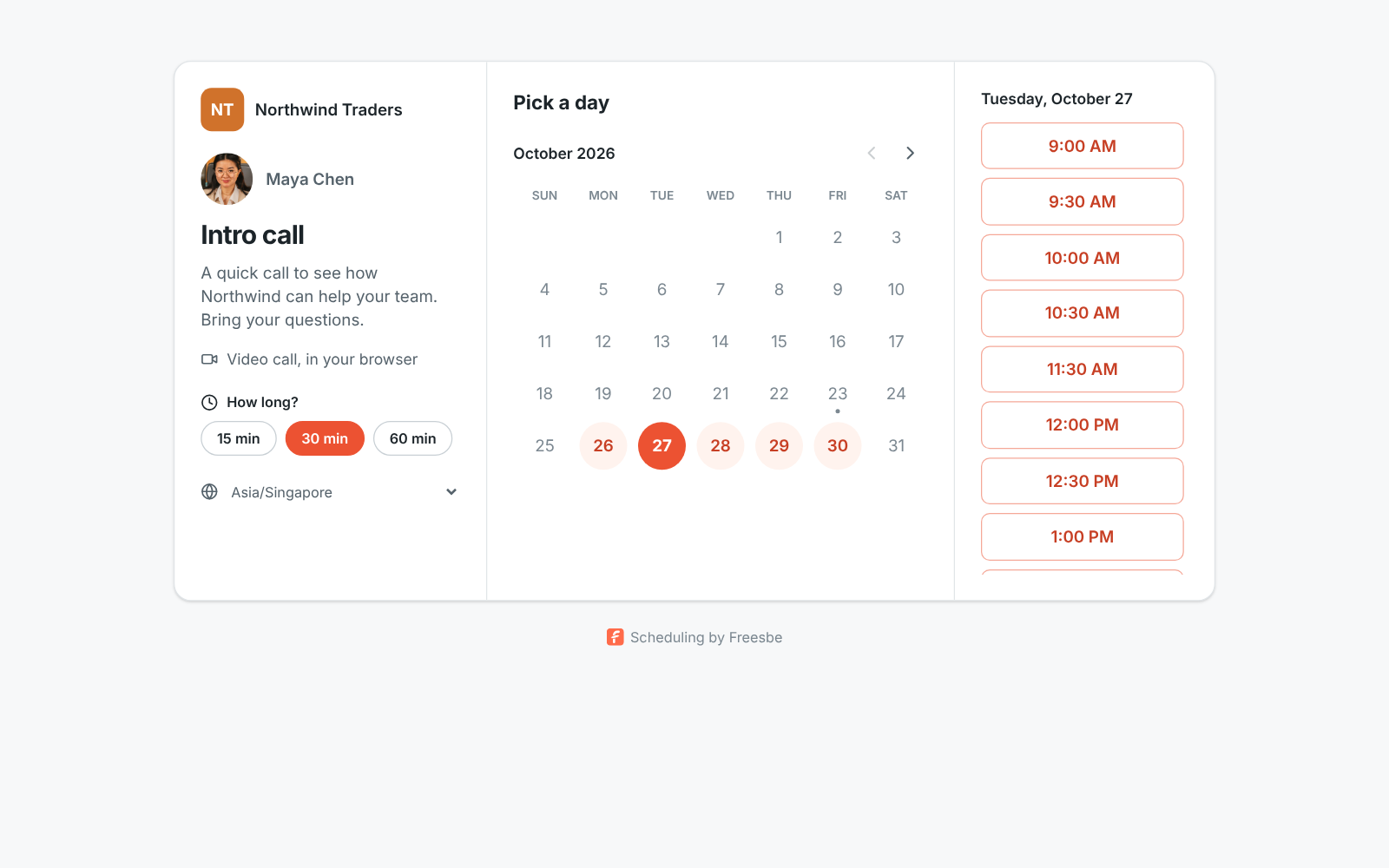
Booking links normally live at https://app.freesbe.net/b/dana. With a custom domain, every
booking link in your workspace moves to your company’s own address instead, such as
https://meetme.acme.com/dana or https://book.acme.com/dana. Links that guests get to join
your scheduled meetings move too, to https://meetme.acme.com/m/…, and so do invite links, to
https://meetme.acme.com/invite/…. The pages look the same, the
HTTPS certificate is free and renews on its own, and visitors never see app.freesbe.net in the
address bar.
Custom domains come with the Corporate and Enterprise plans. An admin sets one up once for the whole workspace; everyone’s links switch over by themselves.
Before you start
Section titled “Before you start”- You need to be an owner or admin of the workspace.
- Pick a subdomain you control, like
meetme.acme.com. A bare domain such asacme.comcan’t be used, because its root can’t point somewhere else with a CNAME record. - You (or whoever runs your company’s DNS) need to add one DNS record.
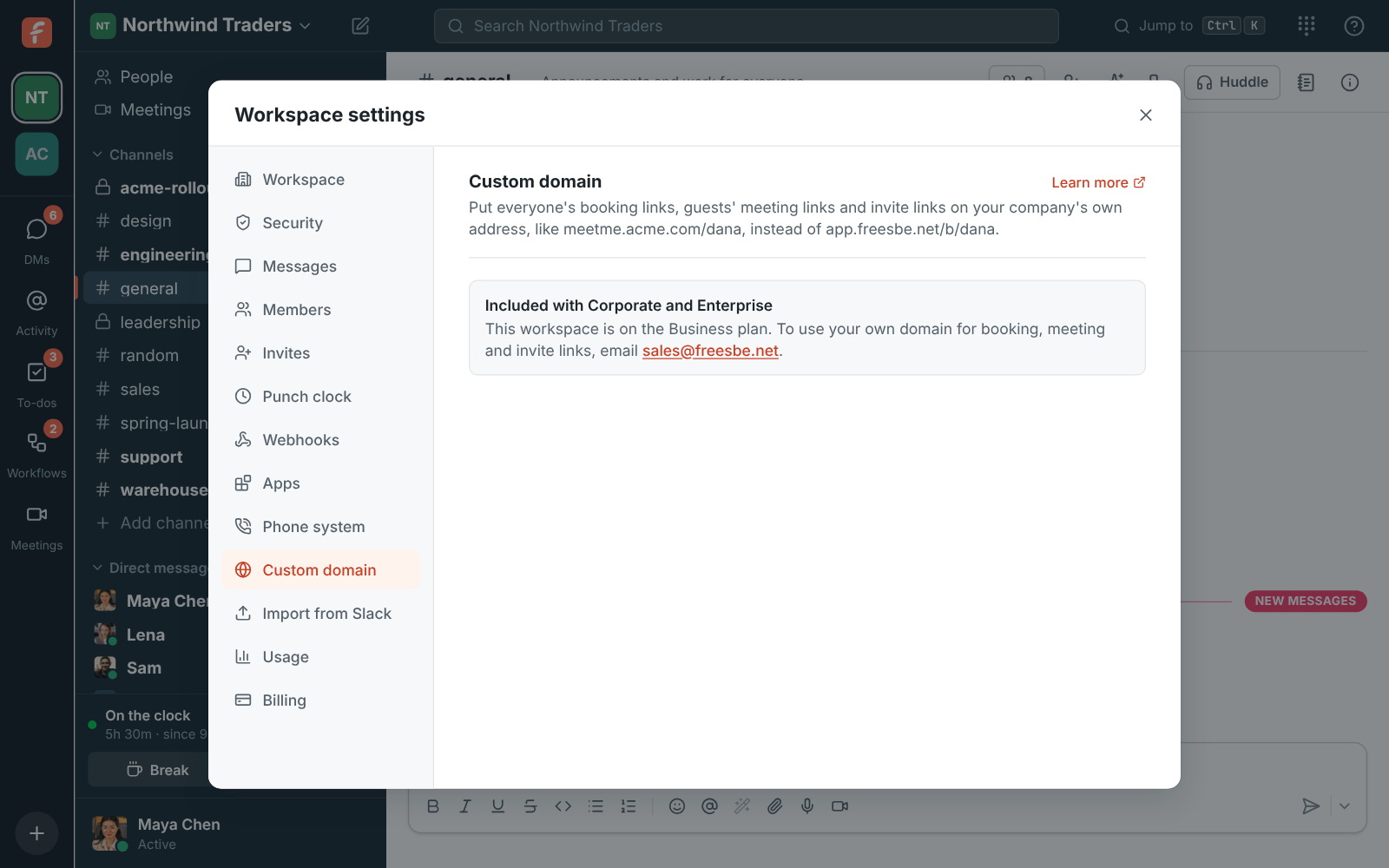
If your workspace isn’t on Corporate or Enterprise, Workspace settings → General → Custom domain says it requires the Corporate plan, with a link to upgrade.
Add your domain
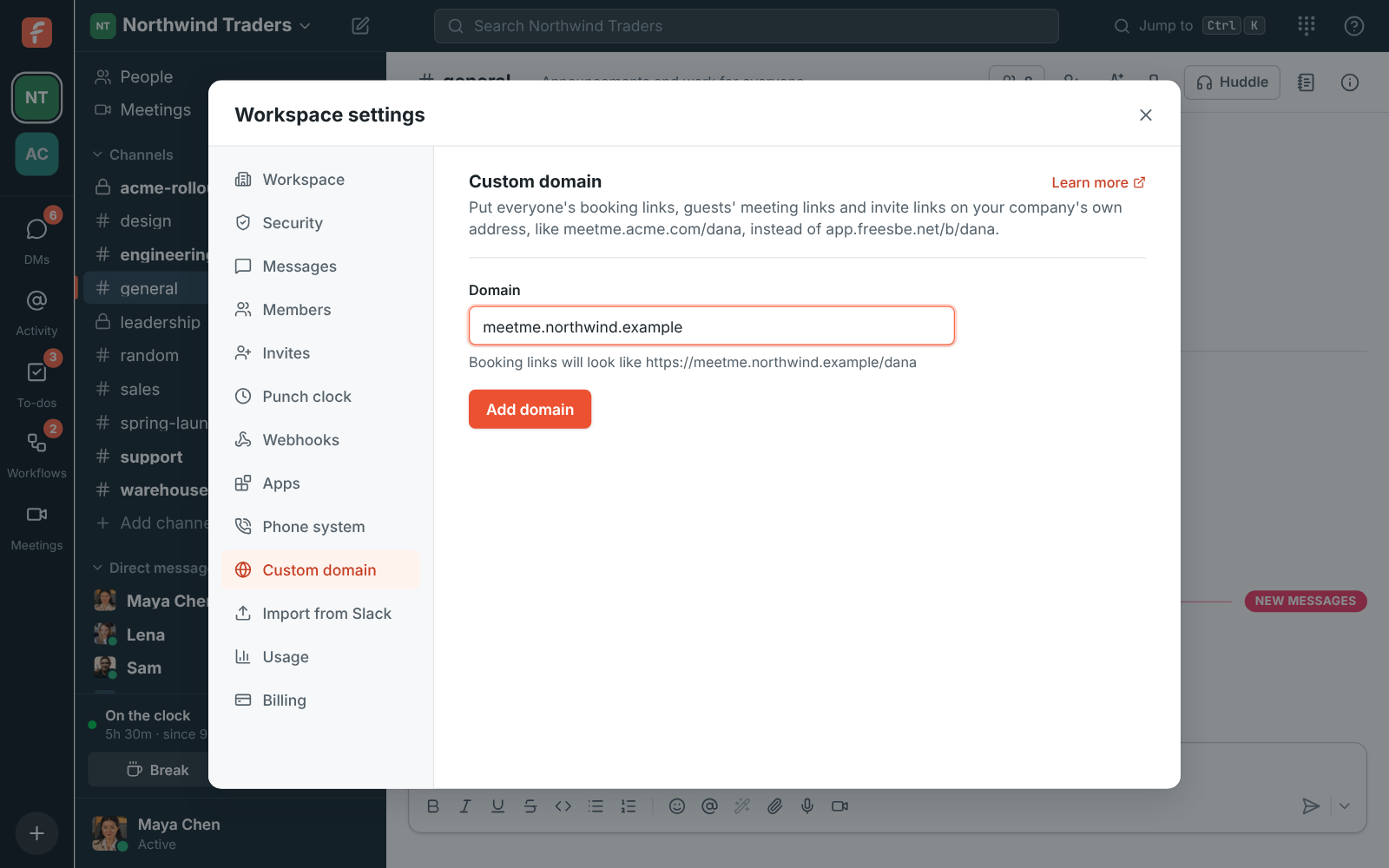
Section titled “Add your domain”- Open the workspace menu (the workspace name at the top of the sidebar) and choose Workspace settings, then Custom domain.
- Type the domain, for example
meetme.acme.com. Freesbe shows what the links will look like. - Click Add domain.
Add the DNS record
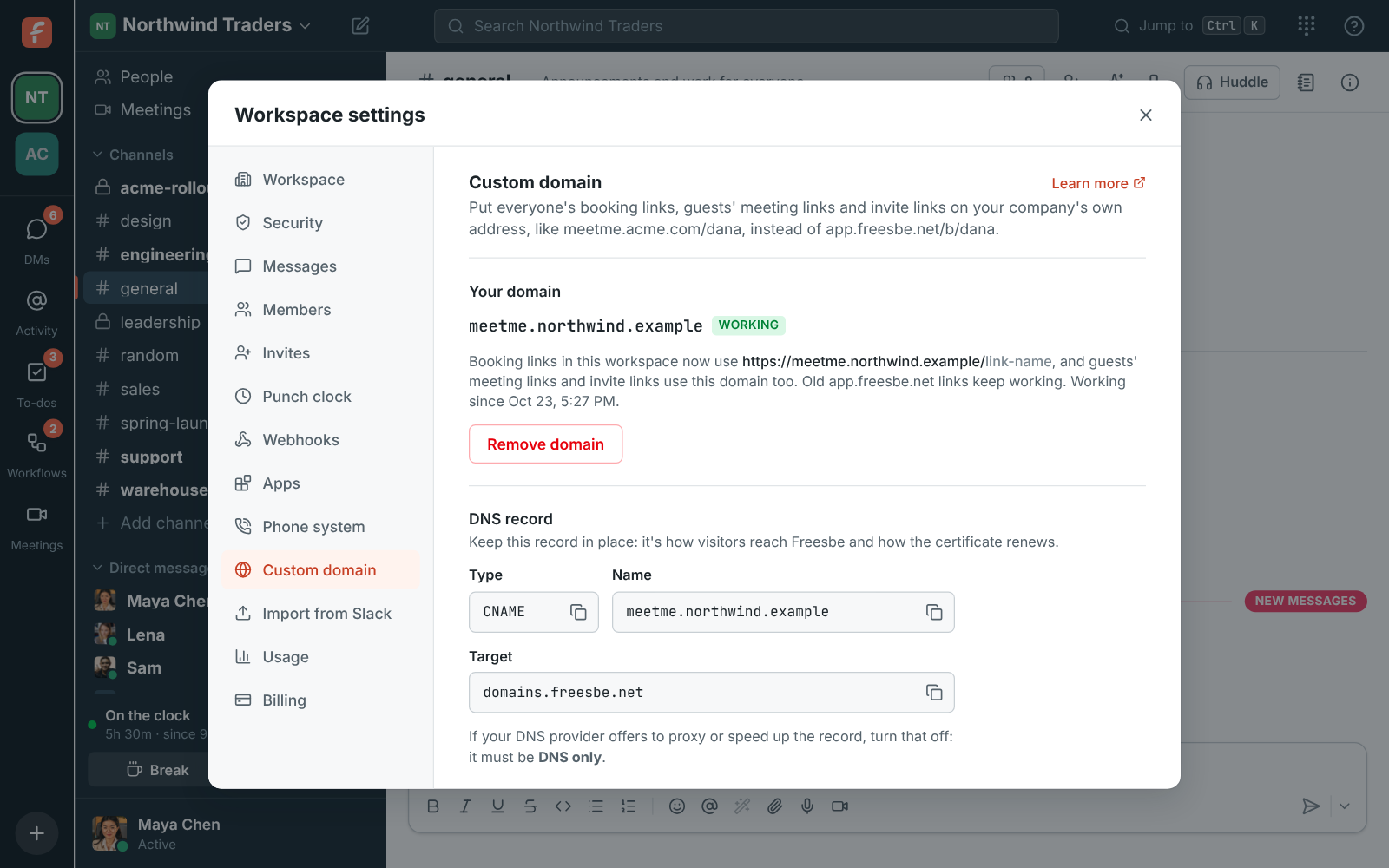
Section titled “Add the DNS record”Freesbe shows the record to add. At your DNS provider (GoDaddy, Namecheap, Route 53, Google Cloud DNS and so on) create:
| Type | Name | Target |
|---|---|---|
| CNAME | meetme (your subdomain) |
domains.freesbe.net |
Some providers want the full name (meetme.acme.com), others only the part before your domain
(meetme). If your DNS provider offers to proxy or speed up the record, turn that off: it must be DNS
only.
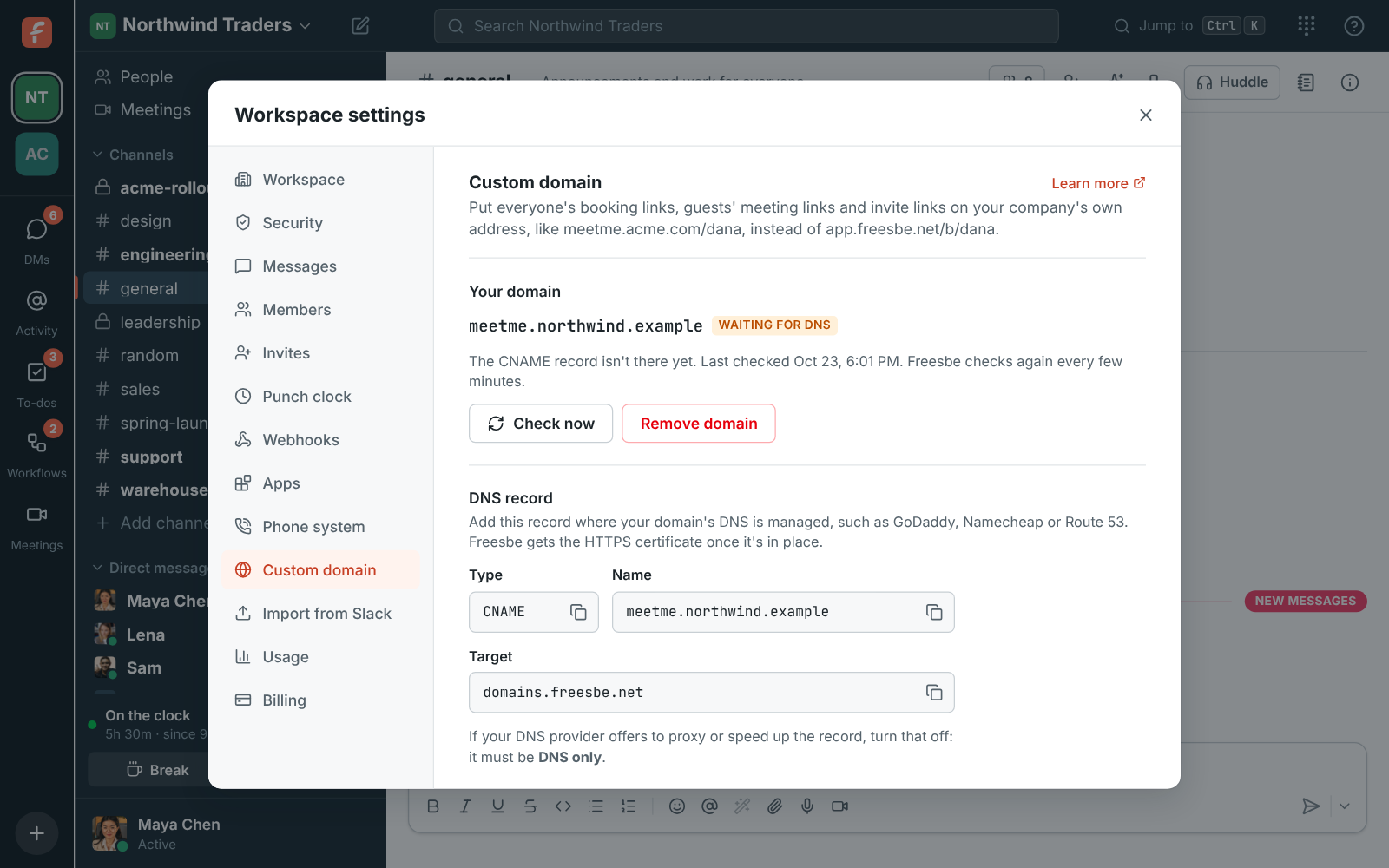
Freesbe checks every few minutes and gets the HTTPS certificate as soon as the record shows up. That usually takes a few minutes, sometimes up to an hour while DNS catches up. Click Check now to look straight away.
Ownership record
Section titled “Ownership record”Freesbe sometimes shows a second, TXT record under Ownership record (only if asked). You only need it when the domain is already in use somewhere else, or sits behind a CDN or proxy: adding it proves the domain is yours before you switch the CNAME, so there’s no gap. Otherwise the CNAME is enough.
When it’s working
Section titled “When it’s working”The status changes to Working. From then on:
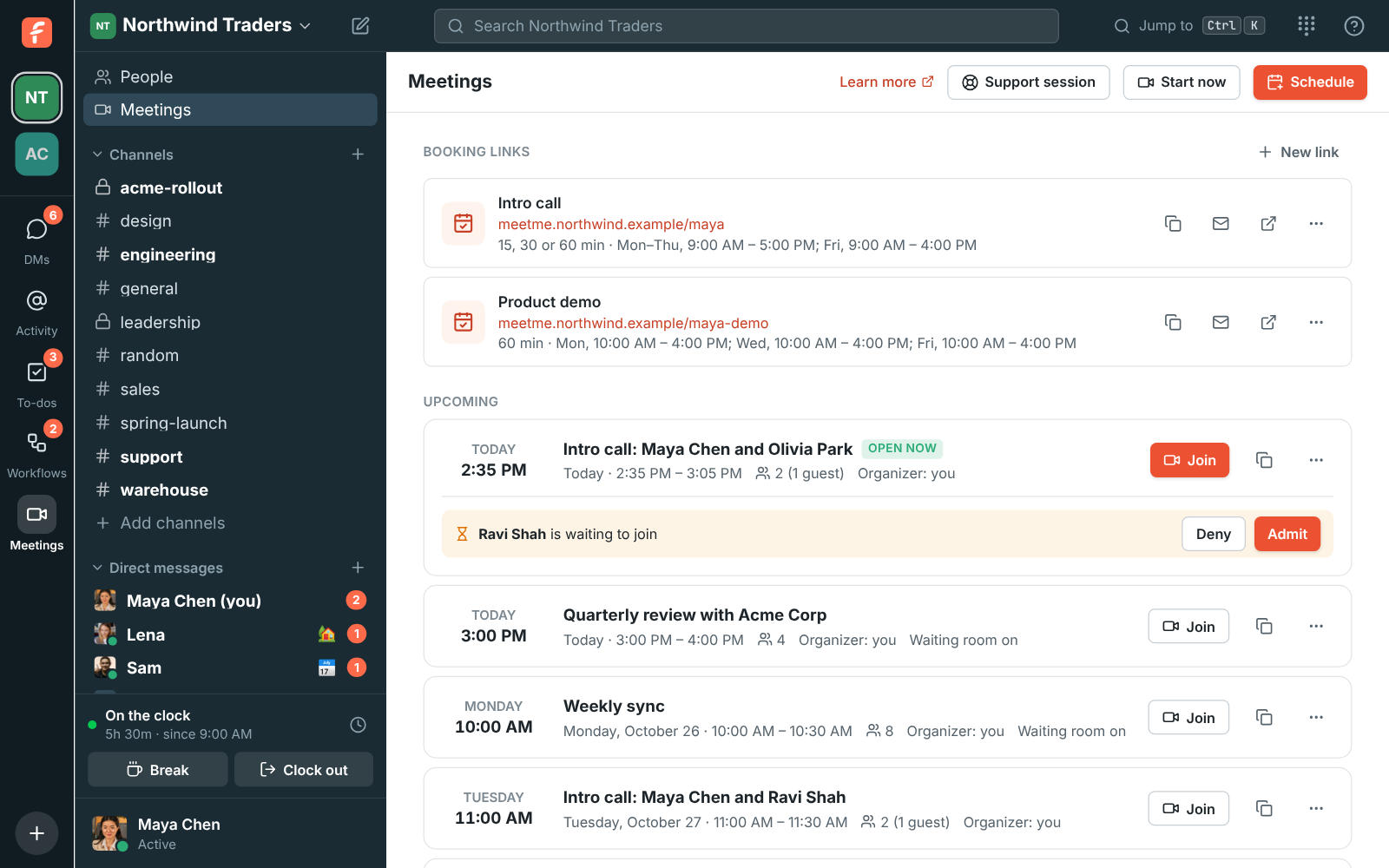
- Everyone’s booking links in the workspace use the new address, for example
https://meetme.acme.com/dana. Copy, Copy for email signature and the link preview card all use it. - Old
app.freesbe.net/b/…links keep working, so signatures people already sent don’t break. - Guests’ meeting links use it as well: invite emails, calendar invites, reminders and Copy
link on a meeting all point to
https://meetme.acme.com/m/…. People who book through a booking link get their call link on the same domain. - Members of your workspace still get their usual
meet.freesbe.net/…links in their own invites, which take them into Freesbe signed in, with their name and the Freesbe app. - Older
meet.freesbe.net/…andapp.freesbe.net/m/…meeting links keep working too. - When someone pastes a
meetme.acme.com/m/…link in a channel or DM, members who click it join the meeting inside Freesbe, signed in as themselves, rather than as a guest on the web page.
Keep the DNS record in place. It’s how visitors reach Freesbe and how the certificate renews every few months.
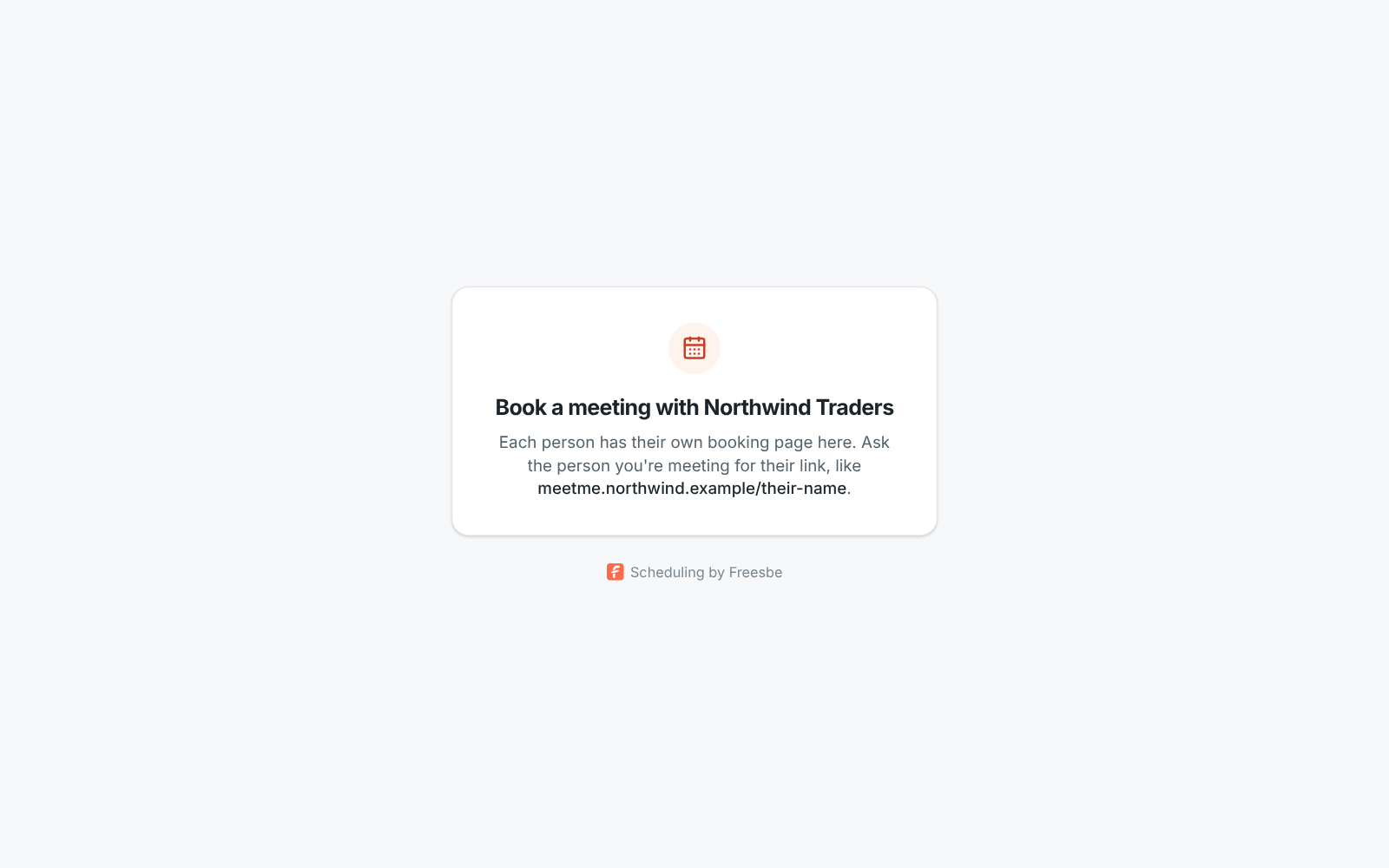
Someone who opens just the domain, without a name after it, sees a short page that tells them to ask for the person’s link:
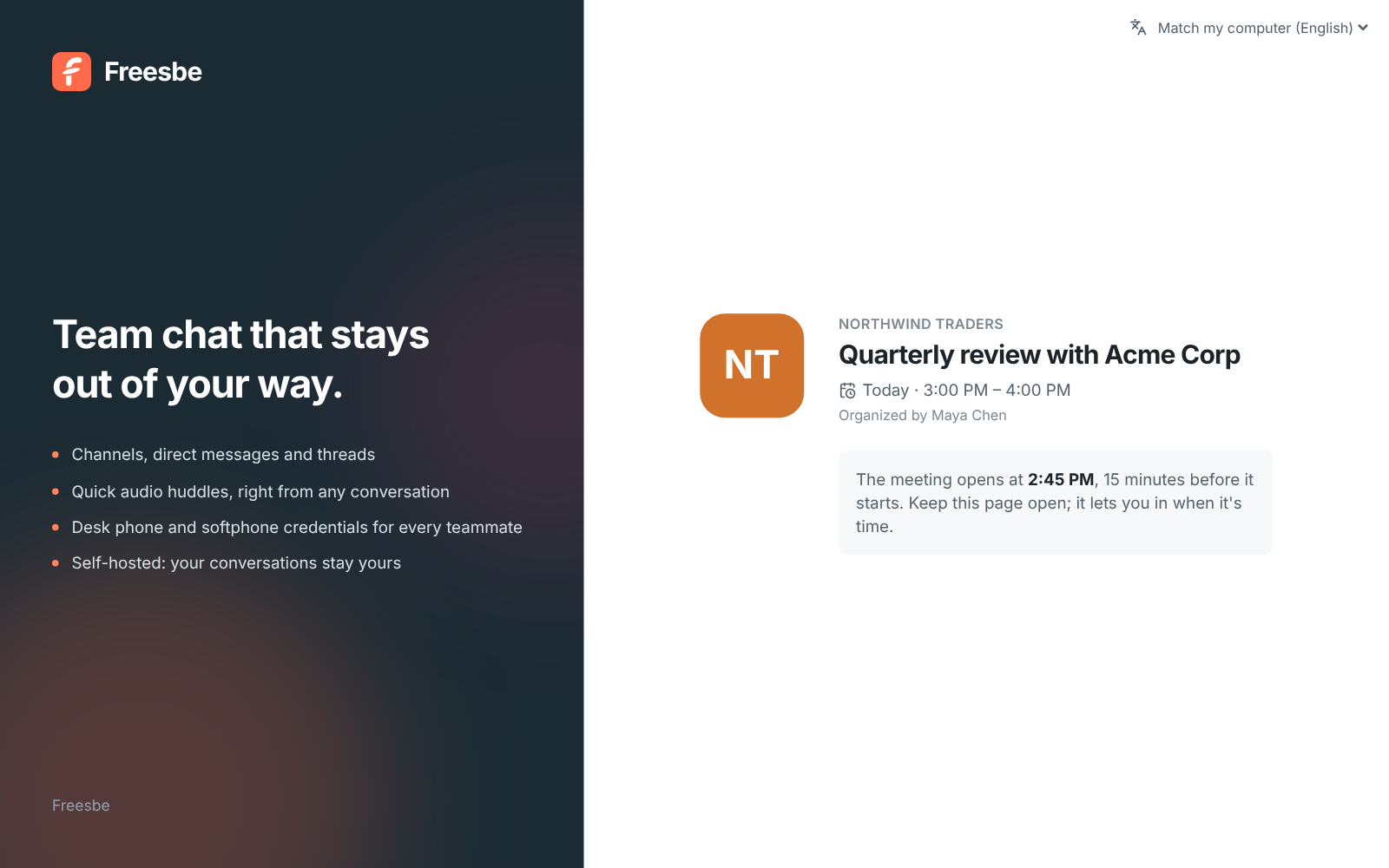
A guest who opens a meeting link on your domain sees the meeting page there, waits until it opens and joins without a Freesbe account. A colleague with an account can click Join from Freesbe to join signed in instead.
Invite links
Section titled “Invite links”Invite links you create or email from then on use your domain too, for example
https://meetme.acme.com/invite/…, for both workspace invites and guest invites. When the link is
pasted into Slack, Teams or an email, its preview card shows your domain:
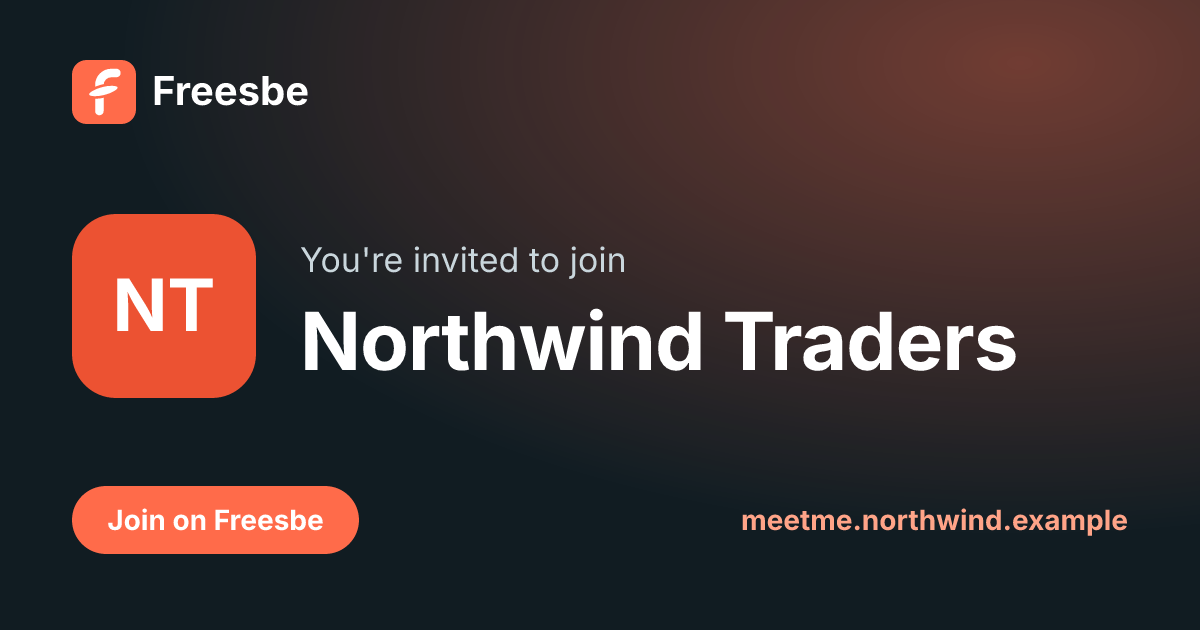
Opening the link takes people straight on to app.freesbe.net, where they create their account
or sign in and join the workspace. Signing in to Freesbe itself always happens on
app.freesbe.net. Invite links you made before the domain was working keep their old address
and still work.
What the domain shows
Section titled “What the domain shows”Only your workspace’s booking pages, its meetings for guests and its invite links. Nobody can sign in to Freesbe there, and no other part of Freesbe or your workspace answers on it. A link name or meeting that belongs to another workspace doesn’t work on your domain.
Change or remove the domain
Section titled “Change or remove the domain”Click Remove domain in Workspace settings → General → Custom domain. Links on that domain stop
working right away and everyone’s links go back to app.freesbe.net/b/… and
meet.freesbe.net/…. Meeting invites and invite links already sent with the domain stop working too, so send the
meeting again or make a new invite link if needed. To move to another
subdomain, remove the current one and add the new one. A workspace has one custom domain.
If the workspace moves off Corporate or Enterprise, the domain stops answering and links go back
to app.freesbe.net/b/… until it moves back.
Troubleshooting
Section titled “Troubleshooting”- Waiting for DNS for more than an hour. Check the record is a CNAME (not an A record), that
its target is exactly
domains.freesbe.net, and that it’s DNS only, not proxied. - “A CAA record on the domain blocks the HTTPS certificate.” Your domain only allows certain certificate authorities. Ask whoever runs your DNS to allow Let’s Encrypt and Google Trust Services, or remove the CAA record.
- “That domain is already connected to Freesbe.” Another workspace uses it. Pick another subdomain, or email support@freesbe.net.
Answers come from the Freesbe guides and are written by AI, so check the linked guide before relying on one. Please don't include personal details such as emails or passwords.